The other day I realized that holding down the Option key in the System 7 Desktop Patterns control panel changes the button text from "Set Desktop Pattern" to "Set Utilities Pattern". Does anyone here happen to know what that means?
edit: holy crap, I just figured it out: "Set Utilities Pattern" replaces the background pattern of every desk accessory, such as the Calculator and Scrapbook apps, Find File, Key Caps, Puzzle— with the pattern you chose. What a different time that was!
Aw I have fond memories of this lil guy. I remember my dad noticing me playing with it, and sometimes letting me draw a new pattern for him to use on his work computer as a reward for good behavior (or probably just to distract me while he got work done)
It's a copy of the Toolbox ROM code for the Quadra 660AV. It's a real leak, not reverse engineered. You can see comments on the code from the early 80s by the original Macintosh team. It was published online (I think on Applefritter or something) about 20 years ago by a former Apple employee who was having some sort of mental breakdown. He believed it contained proof that Apple was complicit in subjecting its employees to MKULTRA mind control and ran underground maglev trains to other dimensions.
I don't think there was anything beyond the original forum post. Even back then it was already ancient code that Apple was no longer using, so there wasn't any legal drama etc.
I took a screenshot of it when I first read it. Here's a version of the post with all the PII stripped out because I don't want to cause him or anyone he mentioned any trouble. https://files.catbox.moe/vonlwq.png
It's a leaked copy of the System 7.1 source code - just the System itself; it doesn't include any applications, control panels, or extensions. (So code for things like the Finder or QuickTime aren't included.)
I'm not certain where it came from precisely; from what I understand, it's been circulating online for ages. Apple hasn't authorized its release, but, as far as I'm aware, they haven't made any attempt to suppress it either.
Exactly. One of the cool things about doing this the hard way was discovering that Apple still hosts old system and programmers manuals like the one for QuickDraw on its website.
If you want to play with the actual Control Panels within various emulated Macintoshes (all in the context of a gorgeously written and illustrated history of Macintosh settings), have a look here: https://aresluna.org/frame-of-preference/
From the linked Raskin memo, the original sin that brought us to dongletown:
> The minimum number of holes in the case through which fingers, screwdrivers (either metallic or liquid), EMI or earwigs can crawl is to be desired. I guess that adapters are OK as accessories.
FWIW, X11 also includes a bunch of quaint background patterns as well, in /usr/include/X11/bitmaps.
You can try each of them by just doing `xsetroot -bitmap <filename>`. I have mine set to wide_weave, which is incidentally identical to Pattern 15 in https://paulsmith.github.io/classic-mac-patterns/
Really glad to see I'm not the only one out there who appreciates these patterns.
In my LisaGUI project I've added not just the ones from the Lisa Office System and Mac System 1, but also a few I found in betas of the Mac OS, as well as some from Windows 3.x and 9x. These kinds of patterns popped up in all sorts of places in the 80s and 90s. I'm continually surprised at how much you can fit in an 8x8 monochrome grid whenever I come across a clever pattern I haven't seen before.
Edit: https://alpha.lisagui.com/
At the desktop click the preferences icon and go to the Decorate Desktop pane
This is great, have you thought of expanding the early color patterns from Mac OS 7 systems? Those hit hard for and still look decent on modern systems.
Some overlap but not identical. There are 38 Mac patterns compared to 32 geos patterns. Of these I count 27 that coincide; 5 are unique to geos and 11 are unique to the Mac. I think certainly the direction of copying is geos copying from Mac.
> I think certainly the direction of copying is geos copying from Mac.
Given that the Mac shipped with those patterns in early 1984 and GEOS in 1986, it can’t be Mac copying GEOS.
That doesn’t mean it was GEOS copying Mac, though. Various horizontal and vertical stripes, block patterns and attempts to get a range of grays easily can be parallel evolution. 27 out of 32 seems a bit much, though.
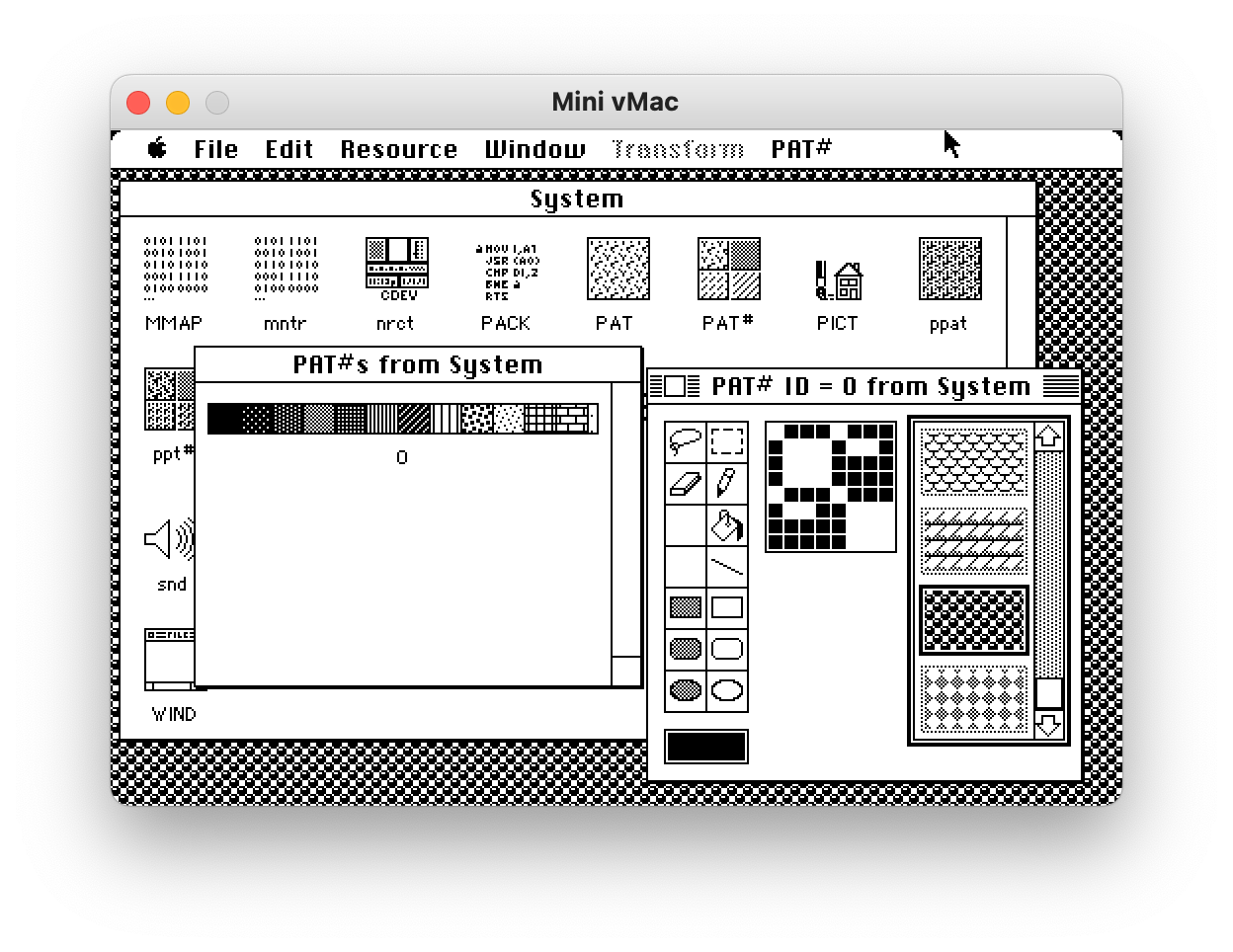
It's a great point, and I did consider it, the trouble is, how do you get the pattern resource data out of ResEdit running in the emulator and onto the modern machine? And ResEdit doesn't seem to run in any kind of compatibility mode on modern Macs anymore either.
It's too bad because ResEdit is an amazing program, and even has a surprisingly full-featured graphical editor, including for those patterns, with a live preview mode:
Oh, some of the emulators allow you to create a "shared folder" between the emulated OS and your host OS. At least, that's what I do with SheepShaver. Very easy to share files between the two!
Right, I thought I remembered such an editor from back in the day, for editing those patterns. When I was a kid I went all-out with ResEdit, inspecting every single resource in the System and Finder files (and pretty much every application/game I had) ... it was pretty fascinating how much stuff was so easily-editable! I renamed my Trash to "Incinerator" :)
Sometimes it's in the middle of the track, with no way around it. A dialog pops up that says "stroke dog to continue." Then I do that and the game calls me a bastard... :/


It's still hard to believe that some of these effects are accomplished in 8x8 pixels — in a single integer's worth of space, on modern architectures.